
Table of Contents
- Why Remote Help Desk Services Matter in 2026
- How Remote IT Help Desk Support Works
- What Issues Can Remote Help Desk Support Fix
- Tools Used for Remote Help Desk Support
- How to Choose the Right Remote Help Desk Provider
- Are Remote IT Support Services Secure
- How Much Do Remote Help Desk Services Cost
- Real-World Case Study: SMB Remote IT Support
- Best Practices for Remote Help Desk Support
- People Also Ask — FAQ
- Conclusion
Why Remote Help Desk Services Matter in 2026
Remote help desk services have become the operational backbone of modern businesses — not a luxury, but a necessity. The numbers tell the story clearly: the global IT service desk market reached $4.32 billion in 2026 and is projected to hit $18 billion by 2035, growing at a 17.2% CAGR. Meanwhile, 65% of technology and business leaders already outsource their help desk function, and 91% expect to maintain or increase that outsourcing in the near term.
The driver is not purely cost. Businesses are outsourcing managed help desk services because building capable in-house IT support has become extraordinarily difficult. Help desk agent turnover sits stubbornly above 13% annually, the average agent stays less than 2.5 years, and replacing each one costs around $12,000. At the same time, the average employee rates their internal help desk a “B” — and nearly half would rather attempt self-service than contact support, yet only 13% find self-service easy.
For small businesses and growing enterprises, outsourced IT help desk services solve this equation cleanly: access to certified engineers across multiple specialisations, 24/7 remote IT support coverage, and resolution times measured in minutes rather than hours — at a fraction of the cost of hiring internally.
Key Business Drivers for Remote Help Desk Adoption
- Cost reduction: Businesses nearshoring or outsourcing help desk functions report 30–50% labour cost savings compared to equivalent in-house headcount
- Skill access: One outsourced provider gives you specialists in Microsoft 365, Azure, networking, Windows Server, and security — skills that would require multiple senior hires internally
- Scalability: Remote support for businesses scales with headcount and workload without hiring cycles
- Business continuity: 24/7 coverage ensures issues are resolved regardless of time zone or geography
- Compliance posture: Leading providers operate under Zero Trust frameworks and PCI-DSS certified environments — standards most SMBs cannot match internally
How Remote IT Help Desk Support Works
Remote help desk services operate through a structured tiered support model. Understanding the tiers helps businesses match provider capabilities to their actual needs — and avoid paying enterprise rates for Tier 1 volume work.
Support Tier Structure
| Tier | Name | What It Covers | Typical Resolution Time |
|---|---|---|---|
| Tier 0 | Self-service / AI | Password resets, knowledge base, chatbot | Instant |
| Tier 1 | Basic support | Software installs, email issues, printer problems, basic connectivity | 15–30 minutes |
| Tier 2 | Technical support | Network troubleshooting, VPN issues, server errors, Microsoft 365 admin | 30–90 minutes |
| Tier 3 | Expert / engineer | Infrastructure changes, cloud architecture, security incidents, server builds | Same day |
The Remote Support Workflow — Step by Step
When a user raises a ticket with a business help desk support provider, here is what actually happens behind the scenes:
- Ticket creation: User submits via email, portal, or phone. The ticketing system categorises by priority (P1 critical → P4 informational) and routes to the appropriate tier automatically.
- Initial triage: A Tier 1 agent reviews the ticket within the SLA window (typically under 15 minutes for P1/P2). Common issues are resolved immediately using runbooks.
- Remote session initiation: For hands-on issues, the engineer sends a remote access link via tools like TeamViewer, AnyDesk, or Microsoft Quick Assist. The user accepts, granting controlled access.
- Diagnosis and resolution: The engineer diagnoses the fault — checking event logs, running diagnostic commands, reviewing configuration — and applies the fix live on screen.
- Escalation if needed: Complex issues escalate to Tier 2 or Tier 3 with full context handed off — no repeated explanation required from the user.
- Ticket closure and documentation: Resolution is documented, the knowledge base is updated, and the user receives a summary. The ticket is closed with a CSAT survey.
What Issues Can Remote Help Desk Support Fix
One of the most common misconceptions about remote desktop support services is that they are limited to basic tasks. In practice, a well-staffed outsourced IT help desk resolves the vast majority of business IT issues without any on-site engineer involvement.
Microsoft 365 and Cloud Issues
- Email delivery failures, spam filter misconfiguration, Outlook profile corruption
- Teams calling issues, meeting room device configuration
- SharePoint permissions, OneDrive sync errors, licence assignment
- Conditional access policy failures, MFA rollout and troubleshooting
- Exchange Online mail flow rules, hybrid mail configuration
Network and Connectivity Issues
- VPN connection failures — IKEv2, SSL, split tunnelling configuration (see our guide on Cisco remote access VPN configuration)
- DNS resolution failures, DHCP scope exhaustion
- Site-to-site tunnel drops, routing table issues
- Firewall rule analysis and correction
- Wi-Fi authentication failures, RADIUS server issues
Windows Server and Infrastructure
- Active Directory account lockouts, group policy troubleshooting
- Windows Server performance issues — CPU, memory, disk I/O analysis
- Remote Desktop Services configuration and licensing
- Backup job failures, restore testing
- Windows Update failures, patch management
Azure and Cloud Infrastructure
- Azure Virtual Machine connectivity, NSG rule analysis
- Azure VPN Gateway tunnel drops and BGP route issues (see our Azure VPN Gateway configuration guide)
- Azure AD (Entra ID) sign-in failures, SSPR configuration
- Resource group and subscription access management
- Cost anomaly investigation and optimisation
What Cannot Be Fixed Remotely
Hardware failures requiring physical component replacement, cable installation, and racking of new equipment still require on-site presence. A reputable remote IT support provider will clearly distinguish these and either coordinate local engineers or advise on hardware procurement — they will not attempt to charge remote hours for a physically broken device.
Tools Used for Remote Help Desk Support
The quality of a managed help desk services provider is directly reflected in the tools they use. Here are the platforms that professional remote technical support teams operate with in 2026:
Remote Access and Control
- TeamViewer / AnyDesk: Cross-platform remote desktop control — widely used for attended support sessions
- Microsoft Quick Assist: Built into Windows 11 — zero install required for end user, ideal for Microsoft-centric environments
- BeyondTrust / Bomgar: Enterprise-grade secure remote access with full session recording and audit trails
- ConnectWise Control: MSP-preferred platform with unattended access for server management
Ticketing and ITSM Platforms
- Freshservice / Zendesk: SMB-friendly ticketing with automation, SLA tracking, and reporting
- ServiceNow: Enterprise ITSM platform — incident, change, problem, and asset management in one system
- Jira Service Management: Developer-aligned teams prefer this for its deep integration with development workflows
Monitoring and Alerting
- Datadog / PRTG / SolarWinds: Network and infrastructure monitoring — proactive alerting before users notice issues
- Microsoft Sentinel: SIEM for security event correlation and automated incident response
- Azure Monitor / Log Analytics: Cloud infrastructure health and performance monitoring
How to Choose the Right Remote Help Desk Provider
Selecting a remote IT support services partner is a strategic decision — not just a procurement exercise. The wrong provider costs more in productivity loss and re-work than they save in labour. Use this framework to evaluate candidates properly.
Technical Capability Assessment
- Verify certifications held by engineers — not just the company. Ask for CCNA, Azure Administrator (AZ-104), Microsoft 365 (MS-100/102), or CompTIA Network+ credentials for the specific team that will handle your tickets.
- Request a technical walkthrough of how they would handle your most common issue types. A confident provider will walk you through their runbook.
- Test their escalation path — know who handles Tier 3 issues and what their SLA looks like.
SLA Requirements — Minimum Standards for 2026
| Priority | Example Issue | Response SLA | Resolution SLA |
|---|---|---|---|
| P1 — Critical | Server down, all users offline | < 15 minutes | < 4 hours |
| P2 — High | Email down for a team, VPN failure | < 30 minutes | < 8 hours |
| P3 — Medium | Single user access issue, software fault | < 2 hours | Next business day |
| P4 — Low | Requests, how-to questions | < 4 hours | Within 3 days |
Any provider unable to commit to P1 response under 15 minutes for 24/7 coverage should not be handling critical business infrastructure.
Red Flags to Watch For
- Vague SLAs without numeric commitments — “we respond quickly” is not an SLA
- No session recording or audit logging capability
- Single-engineer operation with no escalation path
- Pricing based purely on hours rather than outcome-based or per-seat models
- No documented knowledge transfer or onboarding process
Are Remote IT Support Services Secure
Security is the most common concern businesses raise when evaluating outsourced remote help desk services — and it is a legitimate one. Help desk agents represent a high-risk access point: they handle credentials, access sensitive systems, and are frequent social engineering targets. Here is how reputable providers address each risk.
Access Control
- Zero Trust architecture: No implicit trust for any user or device — every remote session is authenticated, authorised, and logged. Leading providers operate Zero Trust frameworks as a baseline in 2026, not an add-on.
- Just-in-time access: Engineers receive time-limited, scope-limited access to specific systems — not permanent admin credentials.
- MFA on all engineer accounts: No exceptions. Compromised engineer credentials without MFA are the fastest route to a major breach.
- Session recording: Every remote session should be recorded and stored for a minimum of 90 days. This protects both parties.
Data Protection
- Confirm the provider’s data residency policy — where session recordings, ticket data, and logs are stored matters for GDPR, HIPAA, and local compliance requirements
- Ask for their incident response plan and breach notification procedure — how quickly will they notify you, and what is their SLA for containment?
- Verify background screening policies for engineers who will access your environment
Compliance Standards
For businesses in regulated industries, verify that your remote IT support provider holds or operates under: ISO 27001, SOC 2 Type II, PCI-DSS (if handling payment system environments), and NIST Cybersecurity Framework alignment. These are not optional nice-to-haves — they are procurement requirements for any serious enterprise engagement.
For reference, the NIST Cybersecurity Framework provides the industry-standard baseline for evaluating IT service provider security posture.
How Much Do Remote Help Desk Services Cost
Pricing for remote help desk services varies significantly by model, coverage hours, and technical depth. Here is a realistic breakdown for 2026:
| Pricing Model | Typical Cost | Best For |
|---|---|---|
| Per-user / month (managed) | $25–$75 per user | SMBs with predictable headcount |
| Per-ticket / incident | $15–$60 per ticket | Low-volume, unpredictable needs |
| Hourly rate | $50–$150/hr (onshore) | Project work, specialist engagement |
| Retainer (hours/month) | $500–$5,000/month | Growing businesses needing flexibility |
| Enterprise SLA contract | Custom — $10k+/month | Large enterprises with 24/7 P1 SLAs |
For context: a single in-house Level 2 IT support engineer in North America costs $65,000–$95,000 per year in salary alone — before benefits, training, tools, and management overhead. A well-structured outsourced help desk arrangement covering the same scope typically runs 30–50% less, while providing broader coverage hours and deeper specialist access.
For affordable IT support services tailored to small and medium businesses in Pakistan and internationally, hourly and retainer models provide the most flexibility without long-term commitment risk.
Real-World Case Study: Manufacturing SMB Remote IT Support
We worked with a mid-sized manufacturing company in Karachi — 120 employees across two sites, running a mix of on-premises Windows Server infrastructure and Microsoft 365 for communication. Their internal “IT support” was one part-time person handling everything from printer jams to Active Directory, and they were losing an estimated 15–20 hours per week to unresolved or slowly-resolved IT issues.
The core problems: Their VPN connection between sites dropped two to three times per week, disrupting access to the file server. Microsoft 365 email delivery to certain external domains was failing intermittently. And their Windows Server 2019 had been throwing VSS errors in the event log for months — nobody had time to investigate.
What we implemented: We took over as their outsourced IT help desk on a retainer model. Within the first week, we diagnosed the inter-site VPN drops — a MTU mismatch on their ISP handoff interface causing fragmented IKEv2 packets — and corrected the configuration. The Microsoft 365 mail delivery issue traced to a missing SPF record update after their ISP had changed their IP range. The VSS errors on the server were caused by a shadow copy writer conflict with their third-party backup agent, resolved by re-registering the VSS writers after agent reinstallation.
Results after 90 days: Zero VPN drops, email delivery success rate from 94% to 99.8%, and the server backup jobs completing successfully every night. Their part-time IT person shifted from firefighting to actual infrastructure improvement work. Ticket volume dropped 40% as the root-cause fixes eliminated recurring issues rather than just treating symptoms. For our professional remote IT support services, this kind of systematic root-cause resolution is standard practice.
Best Practices for Remote Help Desk Support
For Businesses Buying Remote IT Support
- Document your environment before onboarding: Provide your provider with a network diagram, asset inventory, and list of critical systems. The faster they can familiarise with your environment, the faster first-ticket resolution becomes.
- Define SLAs before signing — with consequences: SLA credits for missed response times are standard in professional contracts. If a provider resists SLA penalties, that tells you everything about their confidence in their own performance.
- Require a 30-day knowledge transfer period: The transition from old provider (or in-house) to new provider is where most outsourcing programs fail. Insist on structured knowledge base migration and shadow sessions before go-live.
- Establish a communication cadence: Weekly ticket summary reports, monthly performance reviews, and a clear escalation path to a named account manager — not just a generic support queue.
- Test your provider quarterly: Submit a controlled test ticket outside business hours and measure actual response time against your SLA. Most providers perform to SLA when they know they are being watched; quarterly spot checks reveal real operational capability.
For Engineers Delivering Remote IT Support
- Always ask before taking control: Confirm the user understands you will be accessing their screen. This is basic professionalism and avoids compliance issues.
- Document every action taken during the session: Not just what you fixed, but what you checked and ruled out. This builds the knowledge base and prevents the next engineer starting from zero.
- Never store customer credentials: Use password manager vaults with time-limited access grants. A credential stored in a personal notes app is a liability for both engineer and client.
- Close the loop with the user: Confirm the fix resolved their issue before closing the ticket. A ticket marked resolved that the user did not agree was resolved destroys CSAT scores.
People Also Ask — FAQ
What are remote help desk services?
Remote help desk services are IT support solutions delivered entirely over the internet, where certified engineers access your systems remotely to diagnose and resolve technical issues — from Microsoft 365 problems and VPN failures to server errors and network faults — without requiring a physical on-site visit.
How does a remote IT help desk work?
A remote IT help desk works through a ticketing system where users report issues via email, portal, or phone. Engineers triage the ticket, initiate a secure remote desktop session with the user’s consent, diagnose the fault using system logs and diagnostic tools, apply the resolution live, verify it works, and close the ticket with full documentation.
What is the difference between IT support and help desk services?
IT support is the broader function covering all technical assistance — infrastructure, projects, security, and strategy. Help desk services specifically refer to the user-facing support function that handles day-to-day incidents and service requests. In most outsourced models, help desk covers Tier 1–2 issues, while broader IT support extends to Tier 3 engineering and infrastructure management.
Why do businesses use outsourced help desk services?
Businesses outsource help desk services to access 24/7 coverage, specialist certifications, and faster resolution times at 30–50% lower cost than equivalent in-house hiring. With help desk agent turnover above 13% annually and each replacement costing $12,000, building stable internal support teams is both expensive and operationally risky for most SMBs and mid-market companies.
Are remote IT support services secure?
Yes — when delivered by a reputable provider. Professional remote IT support services use Zero Trust access frameworks, MFA on all engineer accounts, full session recording, just-in-time access grants, and operate under ISO 27001 or SOC 2 Type II compliance. Always verify a provider’s security certifications and session audit capabilities before granting access to your environment. For guidance on security standards, refer to the NIST Zero Trust Architecture publication (SP 800-207).
Conclusion
Remote help desk services have moved from a cost-cutting measure to a strategic capability decision for businesses of every size. With the IT service desk market growing at 17.2% annually and 65% of organisations already outsourcing their help desk function, the infrastructure and expertise now exists to deliver enterprise-grade support to any business — regardless of location or size.
Resolution speed matters more than physical presence: A certified engineer diagnosing your VPN fault remotely in 20 minutes delivers more value than waiting two days for someone to arrive on-site.
Tier structure determines cost efficiency: Match your ticket volume and issue complexity to the right support tier — overpaying for Tier 3 engineers on Tier 1 work is one of the most common managed help desk services mistakes.
Security is non-negotiable: Zero Trust access, session recording, and MFA are baseline requirements — not premiums. Any provider that cannot confirm these controls should not have access to your environment.
SLAs must have teeth: Response time commitments without consequence clauses are marketing, not contracts. Require numeric SLAs with credit provisions before signing.
Whether you are a small business managing a handful of users in Pakistan or an enterprise with distributed teams across multiple countries, the right outsourced remote help desk partner makes your IT infrastructure a business enabler rather than a persistent source of friction. For cloud infrastructure support, explore our guide on Azure VPN Gateway configuration and our comprehensive remote IT support services to understand how professional support is structured for real business environments.
Professional Remote Help Desk and IT Support Services
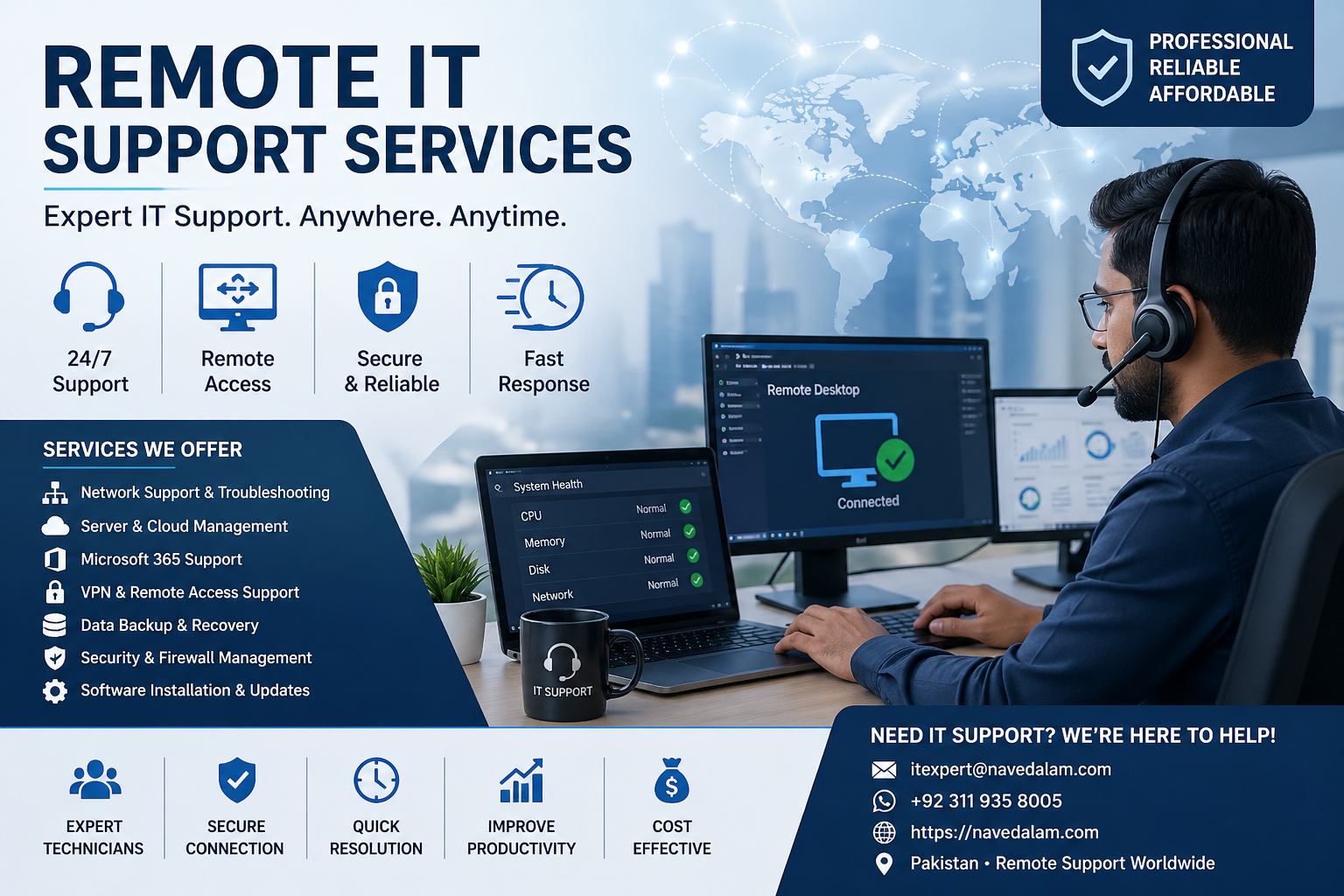
Need a reliable outsourced IT help desk for your business? I provide professional remote IT support services for businesses across Pakistan and internationally — covering Microsoft 365, Azure, Cisco networking, Windows Server, and VPN infrastructure.
Services Offered
- 24/7 remote help desk support for businesses
- Microsoft 365 administration and help desk support
- Azure cloud infrastructure management and troubleshooting
- Cisco network troubleshooting and remote support
- Windows Server remote administration
- VPN configuration, monitoring, and fault resolution
- Remote system administration and proactive monitoring
Why Work With Me
- CCNA, Azure AZ-900, and CompTIA A+ certified
- 50+ completed infrastructure projects for businesses globally
- Transparent per-incident and retainer pricing — no hidden costs
- Full session documentation provided after every support engagement
- Response within 24 hours for new enquiries; P1 critical issues prioritised
Email: itexpert@navedalam.com
WhatsApp: +92 311 935 8005
Website: navedalam.com
Free 30-minute consultation — discuss your requirements and receive a clear project proposal with no obligation.
About the Author
Naveed Alam is a certified Network and Cloud Engineer specialising in remote IT support, enterprise networking, and cloud infrastructure. With hands-on experience deploying and supporting infrastructure for businesses across Pakistan and internationally, he holds CCNA, Microsoft Azure Fundamentals (AZ-900), and CompTIA A+ certifications and has completed 50+ network and cloud projects ranging from small business environments to enterprise deployments with 1,000+ users.
Specialisations: Remote IT support, Microsoft 365 administration, Azure cloud networking, Cisco routing and switching, VPN architecture, Windows Server, and cloud migrations.
LinkedIn · navedalam.com · itexpert@navedalam.com